No777 Deposit & Withdrawal Guide in Pakistan
Managing payments is an important part of using No777 Deposit & Withdrawal, especially for Pakistani players who prefer local payment options. No777 supports JazzCash, EasyPaisa and Bank Transfer, allowing users to deposit PKR into their game wallet and manage eligible withdrawals from their account.
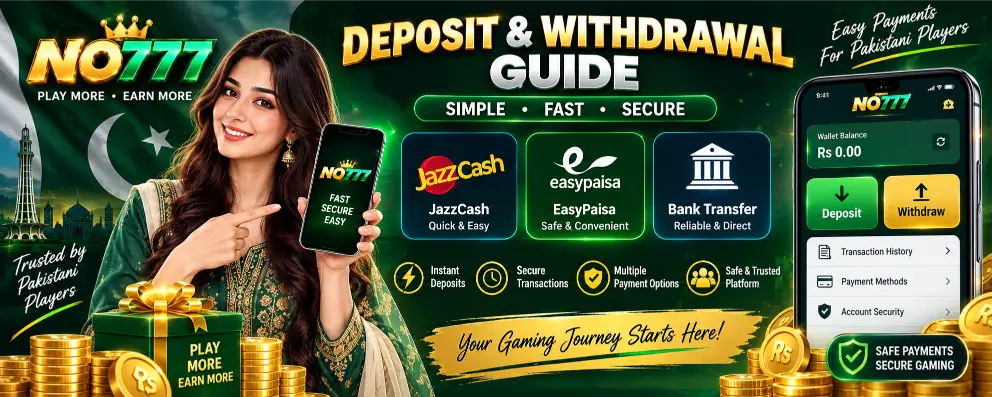
This guide explains the complete No777 Deposit & Withdrawal process, including how to deposit money, submit a withdrawal request, check transaction details, avoid payment mistakes and keep your account secure.
No777 Payment Methods in Pakistan
No777 provides payment options that are familiar to users in Pakistan. The payment section inside your account displays the available method and transaction instructions.
JazzCash

JazzCash is a convenient choice for players who already use a JazzCash mobile account. Select JazzCash from the No777 deposit section, enter your deposit amount and complete the payment using the details displayed on the screen.
Keep the transaction ID or payment receipt until the deposited amount appears in your No777 wallet.
EasyPaisa

EasyPaisa gives Pakistani users another way to deposit PKR. Select EasyPaisa from the payment section, check the account details carefully and complete the transfer according to the instructions displayed by No777.
After making the payment, keep your transaction record until your account balance has been updated.
Bank Transfer

Players who prefer using their bank account can select Bank Transfer. The No777 deposit page provides the banking information required for the transaction.
Always check the current bank details before transferring money. Do not automatically reuse bank information from an older deposit because payment details can be updated.
How to Deposit Money in No777 Game
Adding money to your No777 wallet takes only a few steps. Before starting, log in to the correct account and check the minimum deposit amount displayed in the payment section.
To deposit money:
- Open No777 Game and log in.
- Go to the Deposit section.
- Select JazzCash, EasyPaisa or Bank Transfer.
- Enter the amount you want to deposit.
- Check the displayed payment details.
- Complete the payment through your selected method.
- Provide the requested transaction information.
- Confirm your deposit.
- Check your No777 wallet balance.
Do not close or refresh the payment page while you are still checking the transaction instructions. Once payment is complete, save the transaction ID or screenshot for your own record.
No777 Minimum Deposit
The minimum deposit can depend on the payment option or promotion being used. Check the amount displayed on the No777 deposit page before transferring money.
This is particularly important when depositing to participate in a No777 bonus or reward promotion. A normal deposit and a promotional qualifying deposit can have different requirements.
For example, the No777 Deposit Bonus Promotion you shared starts its listed reward table from PKR 200, but that promotional amount should not automatically be treated as the minimum amount for every No777 transaction.
How to Deposit Through JazzCash
For Pakistani mobile users, JazzCash provides a straightforward way to transfer PKR.
After logging in, open Deposit & Withdrawal and select JazzCash. Enter your required amount and check the JazzCash payment information displayed by No777. Open your JazzCash account, complete the transfer and keep the transaction ID.
Return to No777 and complete any remaining confirmation requested on the deposit page. Check your wallet after submission to confirm that the payment has been recorded.
Never transfer money to a JazzCash number received through an unknown WhatsApp message, social media account or unofficial source. Use the payment information displayed inside your No777 account.
How to Deposit Through EasyPaisa
The EasyPaisa process follows a similar route. Open the No777 deposit section and choose EasyPaisa as your payment method.
Enter the deposit amount, review the payment details and complete the transfer from your EasyPaisa account. Keep the transaction receipt or reference number after payment.
Return to No777 and complete the required confirmation. Once processed, check your wallet and transaction history.
How to Deposit Through Bank Transfer
Select Bank Transfer from the No777 deposit section and review the bank information displayed for your transaction.
Enter the required details carefully when completing the transfer through your banking app or other banking channel. Check the account information and amount before confirming.
After completing the transfer, keep the banking reference or receipt and follow the remaining No777 deposit instructions.
Using the correct payment details is particularly important with bank transfers. Always check the information shown for the current transaction instead of relying on details saved from a previous payment.
No777 Deposit Not Showing in Wallet
If you have completed a payment but the amount has not appeared in your No777 wallet, first check whether the payment was successfully completed on the JazzCash, EasyPaisa or banking side.
Then check the No777 transaction history and make sure the amount and payment details were correct.
Keep your transaction ID, payment amount, date and payment receipt available. These details can help when checking a missing deposit with the platform’s support service.
Avoid making the same deposit again simply because the first transaction has not appeared immediately. Confirm the status of the original transaction first.
How to Withdraw Money from No777 Game
Once you have an eligible withdrawable balance, you can submit a withdrawal request from your No777 account.
To request a withdrawal:
- Log in to your No777 account.
- Open your Wallet or Deposit & Withdrawal section.
- Choose the available withdrawal method.
- Enter the amount you want to withdraw.
- Enter or confirm your payment account information.
- Check the minimum and maximum withdrawal limits shown.
- Review any active bonus or wagering conditions.
- Confirm that your account details are correct.
- Submit the withdrawal request.
- Check Transaction History for its status.
Do not rush when entering your payment information. A wrong mobile wallet number or bank account detail can create problems with the transaction.
No777 Withdrawal Requirements
Before submitting a withdrawal, check whether your balance is available for withdrawal. Money connected with a promotion can have additional conditions that need to be completed first.
This is especially important when you have received a registration reward, deposit bonus or deposit-based earning reward. Check the conditions attached to that particular promotion rather than assuming that the complete wallet balance can immediately be withdrawn.
Account verification can also be required before a payment is processed. Make sure the information on your No777 account is accurate.
No777 Wagering Requirements
A wagering requirement is a condition attached to certain promotional funds. It determines how the promotional balance needs to be used before it becomes eligible for withdrawal.
The requirement is not automatically the same for every No777 promotion. Check the terms attached to the particular bonus you claimed.
If you deposited only because of a promotion, read the wagering and withdrawal conditions before using the bonus. This helps you understand what is required before submitting a withdrawal request.
How Long Does a No777 Withdrawal Take?
Do not rely on a fixed withdrawal time unless No777 displays one for your transaction. Processing can depend on the payment channel, account verification, transaction review and whether the account has completed the applicable promotional conditions.
After submitting the request, use Transaction History to check its progress. If a transaction remains pending beyond the period stated inside your account, keep the withdrawal reference available when contacting support.
No777 Withdrawal Pending or Rejected
A pending or unsuccessful withdrawal does not always mean the money has disappeared. Check the withdrawal status and account information first.
Common points worth checking include the entered payment details, available withdrawable balance, transaction limits, account verification and unfinished bonus conditions.
If No777 provides a reason for the rejected transaction, correct that issue before submitting another request. Avoid repeatedly creating new withdrawal requests while an earlier one is still being reviewed.
No777 Deposit Bonus and Payment
Players depositing through JazzCash, EasyPaisa or Bank Transfer can also check the current No777 promotions before completing their transaction.
The No777 Deposit Bonus Promotion has its own qualifying deposit levels and reward amounts. Deposit and earning rewards also have separate eligibility periods and conditions.
If you want to use a promotion, visit the No777 Bonuses and Rewards page first and understand the offer before deciding how much to deposit.
This is a good place to internally link your No777 Bonuses and Rewards page.
No777 Payment Safety Tips
Your payment details and account access should be treated carefully. Use the No777 payment section for current transaction information, double-check the recipient details before sending PKR, and keep your transaction receipts until each payment has been completed.
Never share your account password, OTP, PIN or mobile-wallet security code with another person. A payment receipt or transaction ID is different from an OTP or PIN; never provide sensitive login or payment authorization codes when asking for support.
Also avoid increasing a deposit simply to recover a previous loss or qualify for a larger promotional reward. Decide your spending limit before making the transaction.
Deposit and Withdrawal Through Mobile
Pakistani users who access No777 through an Android phone can manage payments from the same device they use for the game. This makes JazzCash and EasyPaisa particularly convenient because users can move between No777 and their mobile payment account while completing a transaction.
Before confirming payment, check the amount carefully. When returning to No777, make sure you are still logged into the correct account and complete any confirmation required for that deposit.
Frequently Asked Questions About No777 Deposit & Withdrawal
Can I deposit in No777 using JazzCash?
Yes. JazzCash is one of the local payment methods available for Pakistani players. Select it from the No777 deposit section and follow the payment details displayed for the current transaction.
Does No777 support EasyPaisa?
Yes. EasyPaisa can be used as a local payment option. Check the EasyPaisa details displayed inside the deposit section before transferring PKR.
Can I use Bank Transfer for No777?
Yes. Bank Transfer is another payment choice. Always use the bank information displayed for your current transaction instead of automatically reusing details from an older deposit.
Why is my No777 deposit not showing?
First check whether your payment was successfully completed through JazzCash, EasyPaisa or your bank. Then review your No777 transaction history. Keep the transaction ID and receipt if you need to raise the payment with support.
Can I withdraw a No777 bonus immediately?
That depends on the conditions attached to the specific promotion. Registration rewards, deposit bonuses and other promotional balances can have wagering or withdrawal requirements that need to be completed first.
Where can I check my No777 transaction?
Open your No777 account and check the wallet or Transaction History section. Keep your payment reference until the deposit or withdrawal has been completed.
Final Words
The No777 deposit and withdrawal process gives Pakistani users access to familiar payment choices such as JazzCash, EasyPaisa and Bank Transfer. Before every transaction, check the amount, payment details and instructions shown inside your No777 account.
For withdrawals, check your available balance, account information, transaction limits and any bonus conditions before submitting the request. Keeping your transaction ID or receipt also makes it easier to follow up if a payment does not appear correctly.
Most importantly, decide how much you are prepared to spend before depositing. Bonuses and higher reward levels should not be used as a reason to deposit beyond your budget.